
Discover
Inventory every Copilot Studio agent - including shadow agents that are active but were never registered.
Anyone in your organization can build a Copilot Studio agent, connect it to data, and share it. Princeton Sentinel gives security and IT one place to find those agents, understand what they can reach, and contain the risky ones - from a console deployed in your own Azure tenant.
AI governance is the set of controls that keep AI accountable: knowing which AI agents exist, who uses them, what data and permissions they hold, how they behave, and how quickly you can intervene when one goes wrong. In Microsoft 365 that means governing two things at once - the Copilot Studio agents your teams build, and the SharePoint and OneDrive data that Copilot and those agents can reach.
Inventory every Copilot Studio agent - including shadow agents that are active but were never registered.
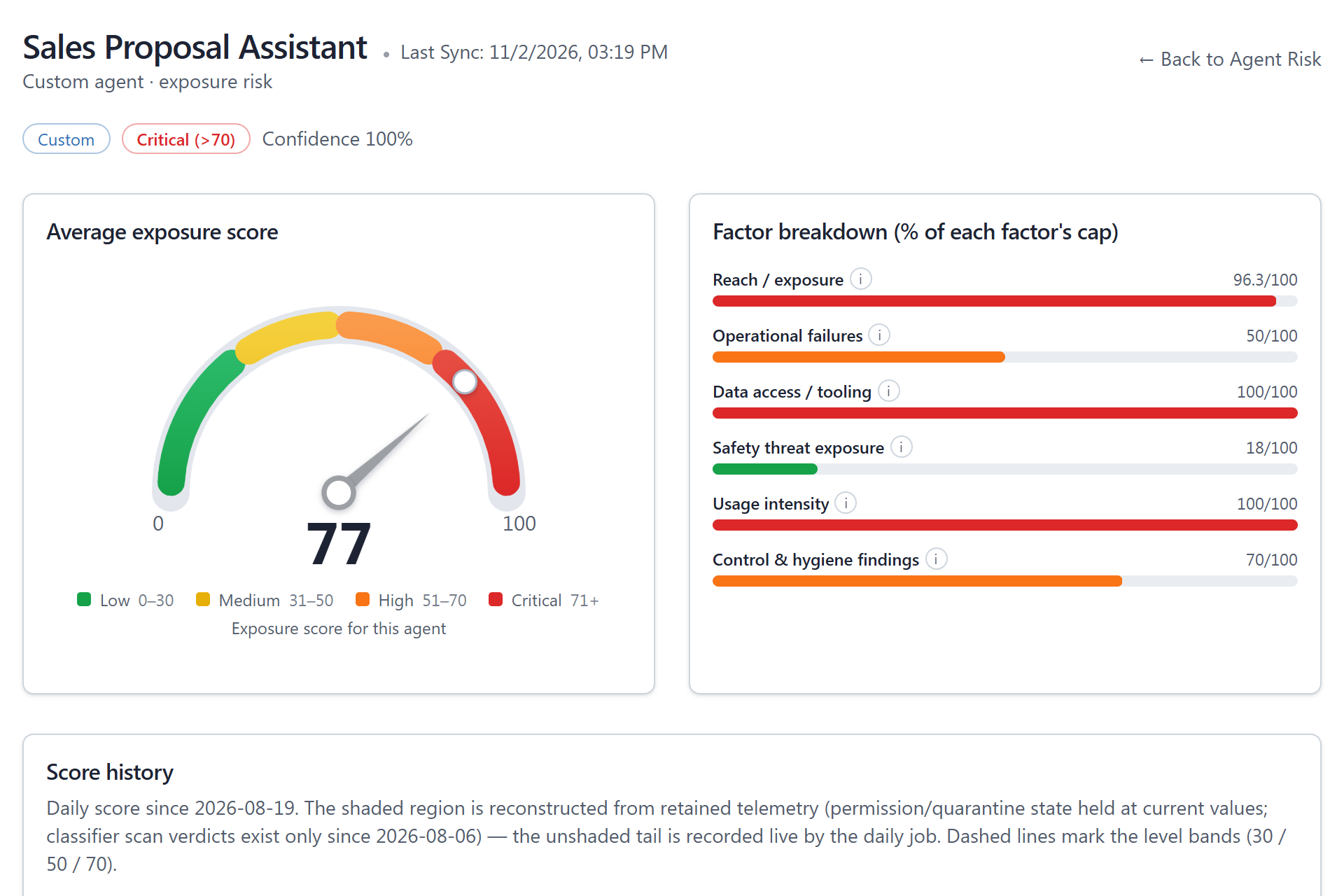
Score each agent for reach, data access, safety exposure, and hygiene, and review the Entra ID permissions it holds.
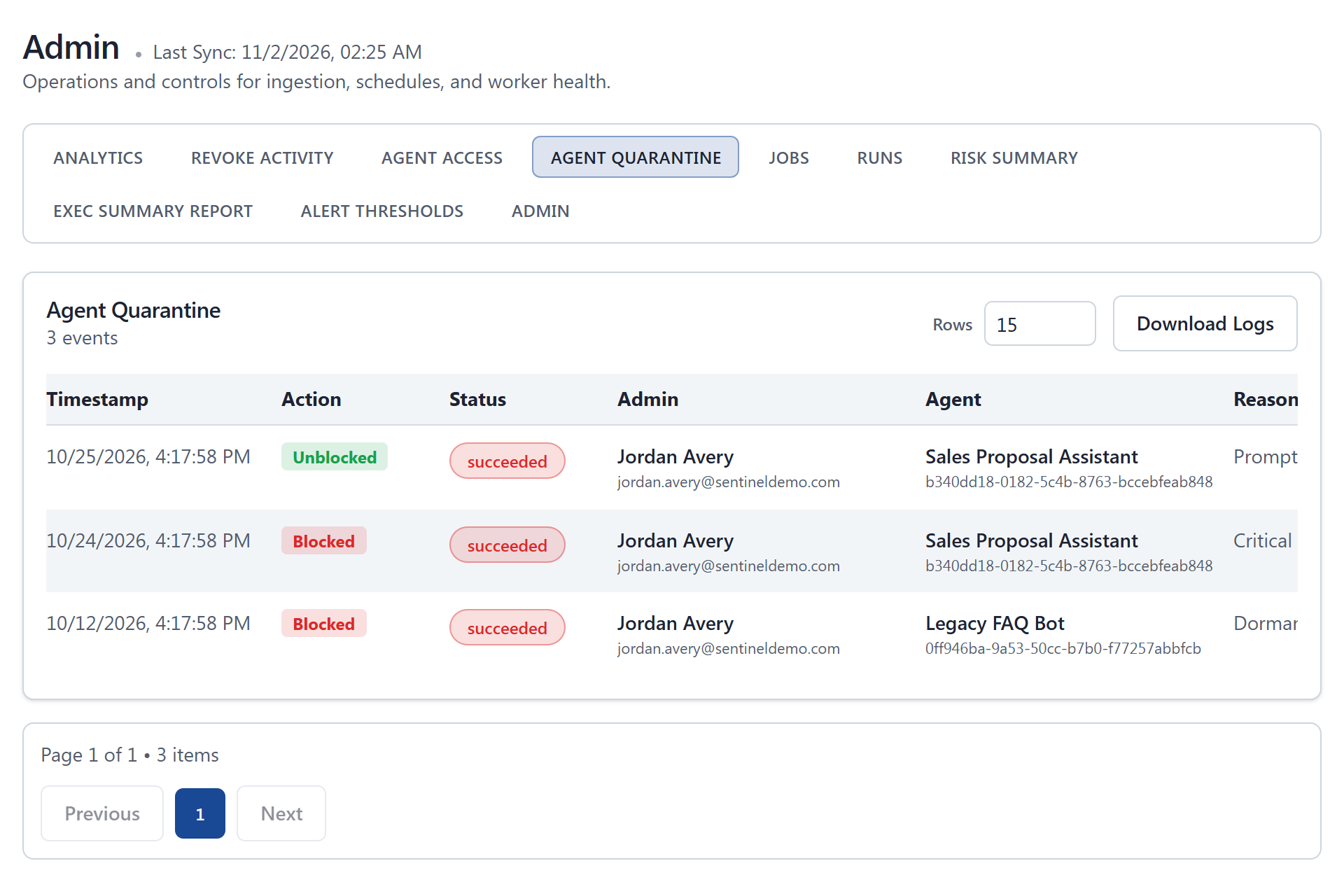
Block a user, quarantine an agent, or disable its identity from one console - every action admin-initiated.
Audit logs, CSV exports, and scheduled executive reports show what was found and what was done.
You can't govern what you can't see. Sentinel builds a custom agent inventory from live Copilot Studio telemetry and the agents registered in Dataverse, then flags shadow agents: active in conversations, but never registered.
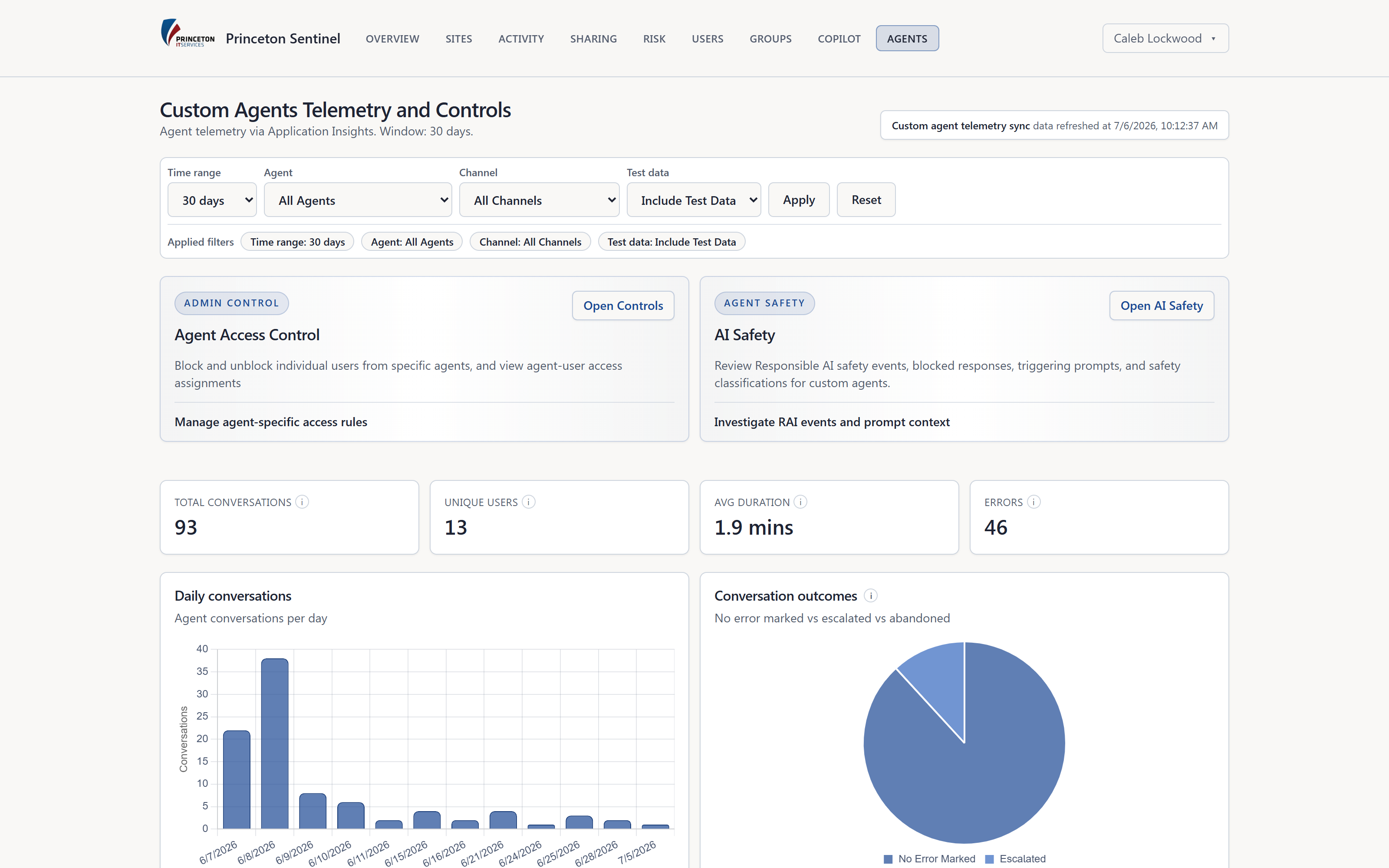
An AI agent is an identity with permissions. Sentinel reads each agent's Entra ID app registration - application permissions, delegated scopes, tenant-wide admin consent, and credential expiry - and folds it into an agent risk score alongside reach, safety exposure, and operational health.
When an agent crosses a line, governance has to become action. Admins can block a specific user from a specific agent, quarantine the agent in Copilot Studio, or switch off its Entra identity - and reverse each once the review is done.
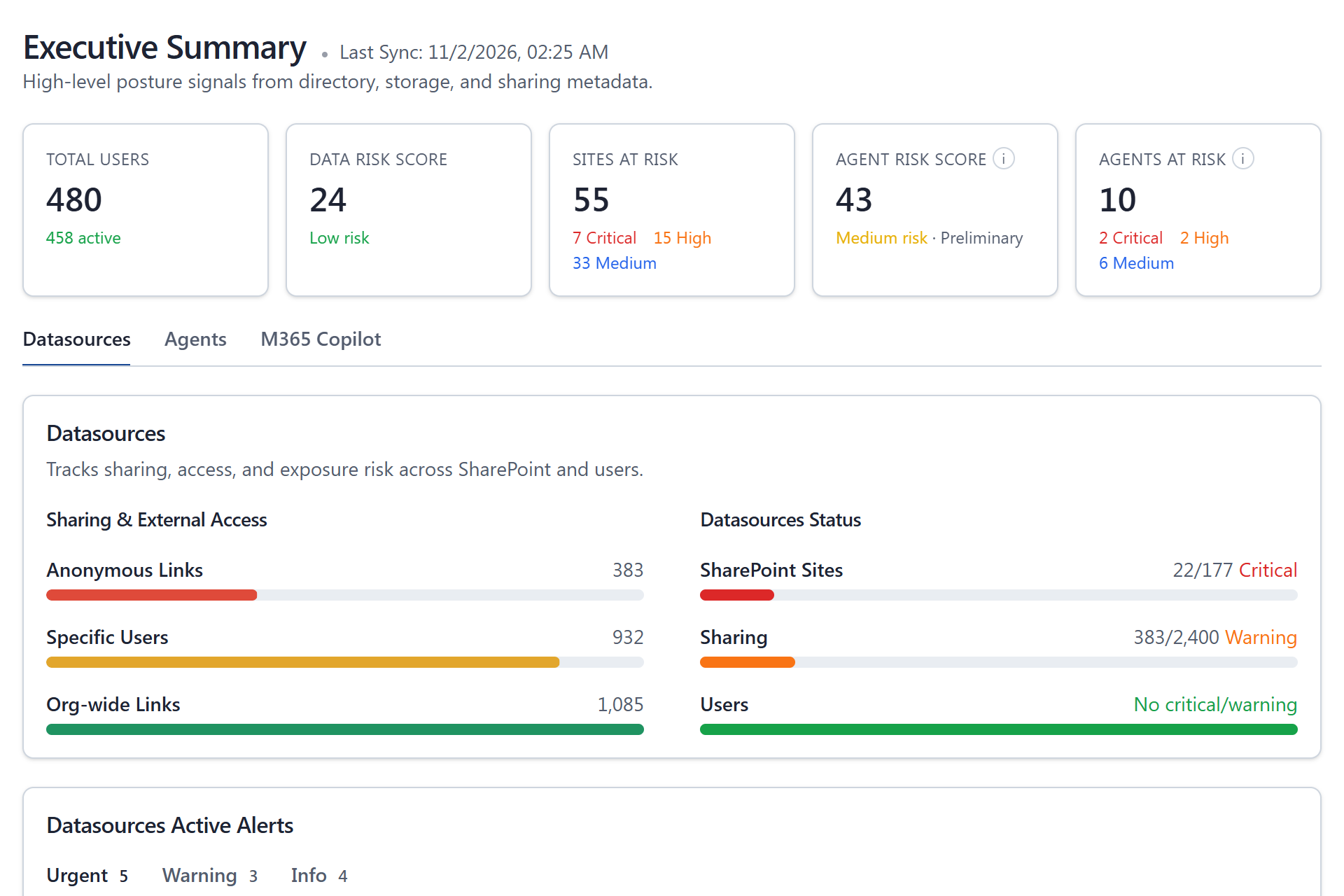
Copilot and Copilot Studio agents answer with whatever the user can already open. Every 'Anyone' link, organization-wide share, and forgotten guest is data your AI can surface. Sentinel scores every SharePoint and OneDrive site for that exposure and turns it into a revoke queue.

Governance has to be provable. Sentinel keeps a record of every revoke, block, and quarantine, and puts the posture story in front of the people who need it, on a schedule.
AI governance for Microsoft 365 is how an organization keeps Microsoft 365 Copilot and Copilot Studio agents accountable: an inventory of every agent, a view of the permissions and data each one can reach, ongoing risk and safety monitoring, the ability to block or quarantine an agent, and an audit trail that proves it. Princeton Sentinel brings those controls into one console deployed in your own Azure tenant.
It compares the Copilot Studio agents seen in live telemetry with the agents registered in your Dataverse environment. An agent that is handling conversations but was never registered is flagged as a shadow agent, so an admin can review it and, if needed, quarantine it.
Custom agents built in Microsoft Copilot Studio, plus Microsoft 365 Copilot usage and adoption. Agents built outside Copilot Studio aren't covered today. On the data side, Sentinel covers SharePoint, OneDrive, and Entra ID users and groups - the data and identities Copilot works with.
No. Sentinel doesn't sit inline in front of Copilot. It classifies Copilot Studio prompts after the fact for prompt-injection, jailbreak, and harmful-content risk, and gives admins the controls to act on what it finds - blocking a user from an agent or quarantining the agent.
No. Discovery, scoring, and monitoring are read-only. Revoking access, blocking a user from an agent, quarantining an agent, and disabling an agent's identity are explicit admin actions, and each one is written to an audit log you can export.
Enterprise. Sentinel is licensed per tenant: Essentials covers sync, the dashboards, Data Risk, and email reports; Professional adds permission remediation; Enterprise adds the AI governance suite - custom agents, Agent Risk, AI Safety, agent quarantine, Copilot Utilization, and AI narratives. Trials include everything.
Agent telemetry, prompt-attack classification, AI safety events, and Copilot usage analytics.
Explore AI observabilityRisk-score Copilot Studio agents and contain the dangerous ones with audited controls.
Explore agent securityScore every SharePoint and OneDrive site and revoke the links Copilot shouldn't see.
Explore data riskWe'll walk agent discovery, permission review, risk scoring, and quarantine on a tenant that looks like yours.